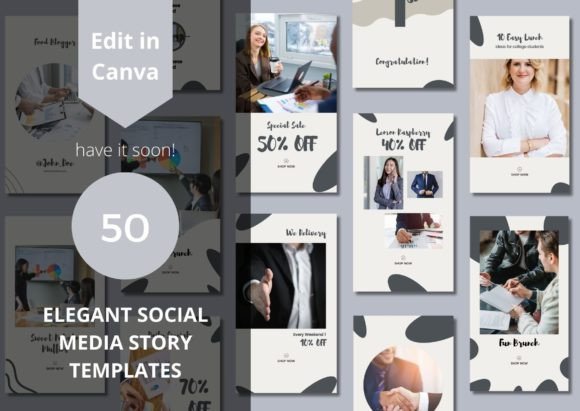
Transform Your Feed: A Practical Guide to Using 50 Elegant Social Media Canva Templates
Building a visually cohesive and professional presence on social media often feels like a full-time job. Whether you are a small business owner trying to launch a new product, a freelancer looking to attract high-quality leads, or a content creator aiming to grow your audience, the pressure to post high-quality graphics daily can lead to burnout. This is where investing in 50 Elegant Social Media Canva Templates can be a game-changer. These modern packages are designed to streamline your workflow, providing you with a versatile library of layouts that help with product advertising, content creation, and increasing engagement. However, simply purchasing a bundle of templates is not a magic fix. To truly elevate your profile, you need to understand how to select, customize, and implement these assets correctly. Many users make critical errors that result in generic, uninspired feeds or wasted time. Here is how you can avoid those pitfalls and make the most of your investment.
Why "Elegant" Matters More Than "Busy"
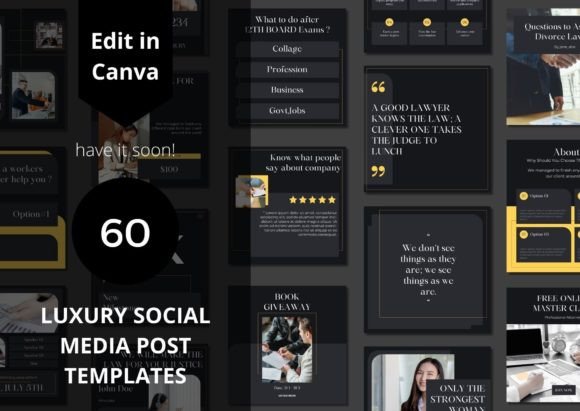
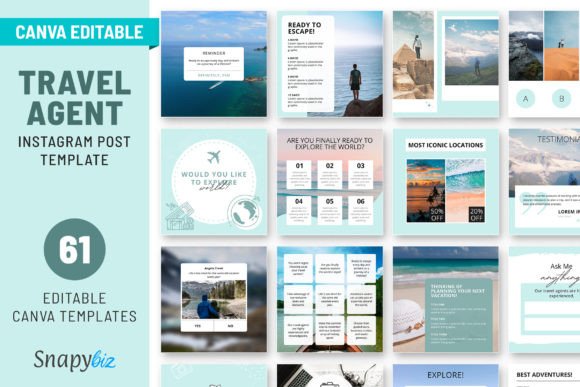
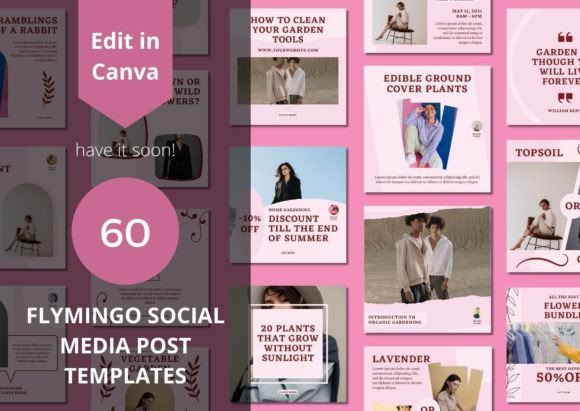
When you first download a set of 50 Elegant Social Media Canva Templates, you will notice a specific aesthetic. "Elegant" usually implies clean lines, ample white space, and sophisticated typography. A common mistake buyers make is assuming these templates are just "empty spaces" to fill. In reality, the elegance comes from the restraint of the design. If you try to force chaotic elements, such as clashing colors, excessive stickers, or low-resolution images onto a minimalist template, you destroy the visual hierarchy the designer intended.
Instead of viewing the white space as something that needs to be "fixed," view it as a tool to guide your viewer's eye. When you use these templates for stories or feed posts, trust the negative space. It allows your message to breathe and makes your content look more premium. If you are a business owner, this sophistication builds trust with potential customers more effectively than cluttered, amateur designs.
The Editing Trap: Over-Customization vs. Brand Consistency
One of the biggest selling points of these packages is that they are fully editable in Canva free or pro. This accessibility is fantastic, but it also opens the door to a frequent error: over-customization. Because you can change every font, color, and shape, many users feel they must change everything to make it "theirs." This often leads to a disjointed brand identity where every post looks like it came from a different company.
Before you start dragging and dropping elements, establish a strict brand kit. Know your hex codes (color values) and your specific brand fonts. When you open a template, make surgical changes rather than complete overhauls. Change the text to your brand font, swap the accent color to your primary brand color, and insert your high-quality imagery. By keeping the structural integrity of the elegant design while injecting your brand assets, you maintain a professional look while ensuring consistency.
Common Mistakes When Choosing and Buying Templates
Not all template bundles are created equal, and buyers often rush the evaluation process. Here are three critical areas to check before making a decision or using your 50 Elegant Social Media Canva Templates:
- File Organization: Downloading 50 templates can be chaotic if the designer hasn't organized them properly. Check if the templates are sorted into separate files (e.g., "Stories," "Square Posts," "Carousels") or if they are crammed into one massive file. Poor organization slows down your workflow significantly.
- Font Licensing: Many users overlook the fonts used in the templates. Some Canva templates use "Pro" fonts. If you are using the free version of Canva, you will be locked out of those fonts unless you pay. Always check the template description to see if it utilizes free or Pro fonts to avoid unexpected paywalls.
- Aspect Ratios: Ensure the package includes a mix of formats. You need vertical templates for Instagram Stories and Reels, square templates for the feed, and perhaps even horizontal options for other platforms. A bundle that only offers square posts limits your ability to utilize the full screen of a mobile device.
Practical Application: Content Creation Efficiency
The goal of using a template bundle is to save time. However, many creators fall into the trap of "decision fatigue." With 50 options, you might spend 20 minutes just picking a layout instead of creating content. To avoid this, create a content strategy first, then pick the template.
For example, if you plan to post a customer testimonial on Tuesday, filter your templates specifically for text-heavy or quote-based designs. If you are launching a new product on Friday, select a template with large image placeholders. Treat the templates as a tool to serve the content, not the other way around. This approach ensures you are using the 50 Elegant Social Media Canva Templates efficiently, turning what could be a 30-minute design session into a 5-minute task.
Visuals and Usability: The "Filler Image" Problem
A frequent oversight in content creation is using the stock images that come with the templates. While the placeholder images in the demo files are usually beautiful, they are not yours. If you post a template with the original stock photo, your content will look generic and inauthentic.
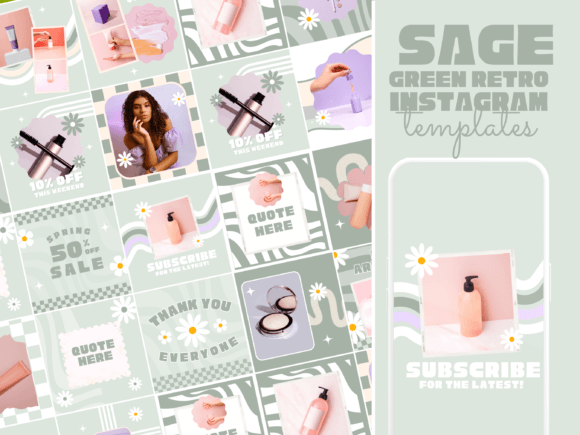
Furthermore, these elegant designs rely heavily on image composition. If you replace a professional stock photo with a dark, grainy smartphone photo, the template will lose its impact. You do not need a professional photographer, but you do need good lighting and high resolution. Before downloading your final design, zoom in to check for pixelation. Ensure your personal photos match the vibe of the elegant template—clean, well-lit, and focused. If the template features soft pastels, your bright neon product photo might clash. In that case, use Canva’s editing tools to slightly desaturate your image to match the template's mood.
Maximizing Engagement with Stories
While feed posts are important, Instagram or Social Media Story templates are where you can truly drive engagement. Stories are ephemeral and casual, but they should still look intentional. A common mistake is treating Stories as an afterthought, posting blurry videos or text-only slides with no design flair.
Using elegant Story templates helps you maintain your brand authority even in casual formats. These templates are designed to help with product advertising and traffic generation. For instance, use a "New Arrivals" Story template with a direct "Link" button placeholder to drive traffic to your shop. Use "Question" or "Poll" templates to encourage interaction. Because these templates are designed for mobile-first viewing, they utilize vertical real estate perfectly, ensuring your text is large enough to read and your call-to-action buttons are prominent.
Conclusion: Elevating Your Digital Presence
Investing in 50 Elegant Social Media Canva Templates is a smart move for anyone serious about their digital presence, from educators to entrepreneurs. These tools are perfect for taking your Instagram to the next level, provided you use them as a foundation rather than a crutch. By avoiding the mistakes of over-customization, ignoring font licensing, and using low-quality imagery, you can transform these modern packages into a powerful engine for traffic and engagement. Remember, the template provides the structure, but your unique content and consistent application are what truly build a successful brand. Take the time to set up your brand kit, organize your files, and plan your content, and these templates will serve you well for months to come.