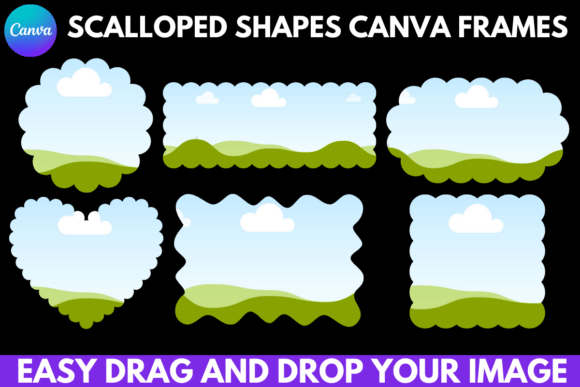
Scalloped Shapes Canva Frames Templates: A Simple Tool for Polished Designs
That moment when you find the perfect photo for a social media post or a product listing, but it just looks… flat. You crop it, you add a filter, but it lacks that professional, finished feel. This is a common frustration for anyone creating visual content, from small business owners to educators and hobbyists. The solution often isn't a complex new skill, but a simple, versatile tool like Scalloped Shapes Canva Frames Templates. This resource provides a collection of decorative frames that instantly add character and structure to your images, transforming ordinary designs into polished pieces with minimal effort.
What Exactly Are These Scalloped Shape Templates?
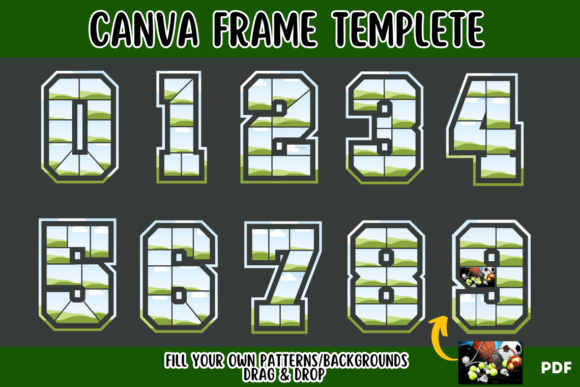
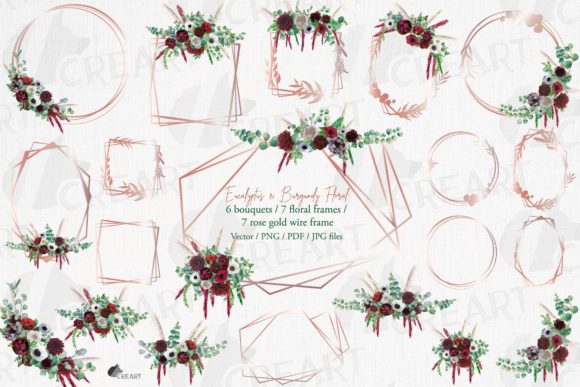
At its core, this is a digital download that gives you access to a set of pre-designed, scalloped-edge frames within Canva. Think of them as decorative cutouts for your photos and graphics. Instead of a standard square or circle, you can place your image inside a frame with a charming, wavy, or petal-like border. The package you receive is straightforward: a Zip file containing a PDF with a direct link to the Canva template. Once you click the link, the frames are added to your Canva account, ready to use. You simply drag and drop your chosen image into the frame, and Canva handles the clipping and masking automatically. It’s designed for ease of use, meaning the free version of Canva is all you need to get started.
Where and Why This Simple Tool Makes a Real Difference
The true value of these templates isn't in their complexity, but in their ability to solve specific design problems quickly. They are particularly useful when you need to add a touch of personality, whimsy, or elegance without spending hours on custom design work. The scalloped shape itself evokes a sense of craftsmanship—like the edge of a vintage doily or a handmade sticker—which can make digital designs feel more tactile and personal.
For Small Business Owners and Entrepreneurs
Imagine you run a small bakery and want to promote your new line of cupcakes. A standard photo is fine, but placing that same photo inside a scalloped frame on your Instagram story immediately makes it stand out. It frames the product beautifully and adds a playful, artisanal quality that aligns with handmade goods. This isn't just for social media. The same frame can be used on a printed menu, a flyer for a local market, or a thank-you card insert for online orders. The consistent use of this unique shape across different touchpoints helps build a recognizable, charming brand aesthetic without a designer's price tag.
Educators, Bloggers, and Content Creators
For a teacher creating a classroom newsletter or a blogger designing a featured image, these frames offer a quick way to organize content and draw the eye. A scalloped frame can highlight a student's artwork in a digital slideshow or frame a key quote on a Pinterest pin. Bloggers can use them to create a series of cohesive, stylized images for a tutorial, making the steps feel more curated and easy to follow. The benefit here is visual hierarchy—the frame acts as a natural focal point, guiding the viewer's attention exactly where you want it.
Personal Projects and Lifestyle Use
Beyond professional use, these templates are perfect for personal creativity. Planning a birthday party? Use the frames to create custom invitations, place cards, or a photo collage for a thank-you email to guests. Scrapbooking enthusiasts can use them to frame digital photos before printing, adding a decorative border that mimics physical embellishments. For anyone managing a personal blog or vlog, they provide a simple way to maintain a consistent and polished look across all visual content, from YouTube thumbnails to holiday cards.
Turning Digital Frames into Tangible Products
One of the most powerful aspects of Canva frames is their versatility in application. The designs you create are not limited to the screen. With these scalloped shapes, you can easily produce a wide range of physical and digital products.
- Printed Merchandise: Design unique graphics for t-shirts, tote bags, or mugs. A scalloped frame around a quirky illustration or a catchy phrase can give merchandise a distinctive, boutique feel.
- Custom Decor and Accessories: Create stickers, wall art, or phone case designs. The scalloped edge is perfect for die-cut sticker sheets, giving each sticker a decorative finish that stands out.
- Digital Products: Use the frames to create digital stickers for planners, styled stock photo overlays, or branded social media templates that you can sell or use to grow your online presence.
Practical Considerations Before You Dive In
While the tool is incredibly user-friendly, a little foresight ensures the best results. First, consider the context of your design. A delicate scalloped frame might be perfect for a wedding invitation but could feel out of place on a corporate financial report. Match the frame's style to your project's tone. Second, think about image composition. Photos with a clear, centered subject work best. A busy, cluttered image might get lost within the intricate border. Finally, remember that while the frames are editable in Canva, you are working with a pre-set shape. If you need a highly specific, custom frame, this might be a starting point rather than a final solution.
Ultimately, Scalloped Shapes Canva Frames Templates are about empowerment. They provide a shortcut to a more professional and personalized aesthetic, saving time and reducing design frustration. Whether you're sprucing up a product listing, creating educational materials, or crafting a heartfelt personal gift, these frames offer a simple way to elevate your work from ordinary to thoughtfully designed. The link in your PDF download is your first step toward designs that don't just share information, but also convey care and attention to detail.